

Most startups fail because they build something nobody wants to use. Bad technology rarely kills companies. Bad user experience does.
When you have limited resources and every decision counts, good UX helps you build the right thing the first time. This guide shows you how.

Why UX Matters More for Startups
Good UX isn’t a luxury. It’s what keeps your users around. Acquiring a new user costs far more than keeping an existing one. When your product works intuitively, users stick around and tell others about it.
Poor UX creates a leaky bucket. You pour marketing dollars in while users drain out. Good UX practices help you leverage your startup speed instead of wasting it. If you lack in-house expertise, working with a startup-focused UX design agency can accelerate your path to product-market fit.
Understanding Your Users Before Writing Code
The most expensive mistake is building something people don’t need. Before you design anything, understand who you’re designing for and what problems they face.
You don’t need a big budget or formal lab. Have conversations with potential users. Watch them struggle with current solutions. Ask about their day, their frustrations, their workarounds. The goal isn’t asking what features they want. Users can’t predict what they need. Instead, observe their behavior and identify pain points.
This approach aligns with design thinking, a methodology that structures innovation around empathy and iteration. It ensures you solve the right problems before building solutions. Consider using the Jobs to Be Done framework, which focuses on what users are trying to accomplish rather than who they are.
Create lightweight personas based on your conversations. A persona is simply a clear picture of who you’re designing for: their goals, constraints, and context. Map out the user journey from discovery to loyal advocate. Where are the friction points? Where might users get confused or frustrated? This journey map becomes your blueprint for what to build first.

From Concept to Wireframes
Once you understand your users, resist jumping into polished mockups or code. Start with sketches and simple wireframes. Use paper, a whiteboard, or tools like Figma or Balsamiq.
Start Low-Fidelity
Low-fidelity designs invite feedback. When you show someone a polished mockup, they hesitate to suggest changes. A rough sketch signals you’re still exploring, making people share honest opinions and wild ideas.
Focus on core user flows first. What’s the critical path from landing on your product to getting value? For a productivity app, maybe it’s signing up and creating your first task. Design these flows until they feel effortless, then expand to other features.
Get Information Architecture Right
Information architecture makes or breaks your product. Good design shouldn’t make users think. If your information architecture confuses people, no amount of visual polish will save the experience. How is information organized? Can users find what they need without thinking?
Testing Early and Often
Startups can outmaneuver bigger competitors by testing and learning faster. User testing doesn’t require fancy labs or expensive tools. Five users can uncover most usability problems, making small-scale testing highly effective for startups.
Test with Users and Prototypes
Conduct quick usability tests throughout design. Give users a realistic task and watch them try to complete it. Don’t help them. Don’t explain things. Your product needs to work when you’re not there. The moments where users hesitate or give up show you exactly where your assumptions were wrong.
Create prototypes before building features. Tools like Figma and InVision let you test interactions without writing code. This saves money because changing a prototype is cheaper than rebuilding a feature.
Implement Analytics
Implement analytics from day one. Start with Google Analytics for traffic patterns. Add Hotjar for session recordings and heatmaps. Consider Mixpanel or Amplitude for product-specific behavior tracking.
Analytics reveals what users do, while usability testing explains why they do it. Use numbers to identify problems, then talk to users to understand causes.
Building Your MVP with UX in Mind
The Minimum Viable Product has become the startup gospel, but it’s often misunderstood. An MVP isn’t a barely functional prototype. It’s the simplest version that delivers real value and allows you to learn.
Validate Before You Build
Dropbox validated demand before building their product. Drew Houston created a simple explainer video showing how the product would work. That video generated seventy-five thousand signups overnight, proving people wanted the solution.
This mirrors Lean UX methodology, which applies lean startup principles to design. Focus on outcomes over deliverables and iterate based on what you learn.
Focus on What Matters
When defining your MVP scope, ruthlessly prioritize. What’s the one problem you’re solving? Everything else can wait. But whatever you include must work well. A half-baked experience across ten features is worse than a delightful experience with three.
Design for the happy path first. Make the main use case effortless before worrying about edge cases. But don’t ignore errors and empty states. These moments build trust. A helpful error message turns frustration into understanding.
Establishing Design Consistency
Even with a small team, consistency matters. Users shouldn’t relearn your interface on every screen. But creating a comprehensive design system from day one is overkill.
Start simple. Begin with basic foundations: a color palette, typography scale, spacing system, and common components like buttons and form fields. Document these decisions as you make them. A shared Figma file or Notion page works fine.
Consistent components don’t just look better. They accelerate development. Developers reuse code, designers work faster, and bugs decrease because you’re testing the same components repeatedly.
While Figma dominates for its collaboration features, Sketch remains popular for Mac-focused teams, and Adobe XD integrates well if you’re in Adobe’s ecosystem. Material Design and Tailwind CSS give you a head start on common patterns. Don’t reinvent the wheel unless your brand demands it.
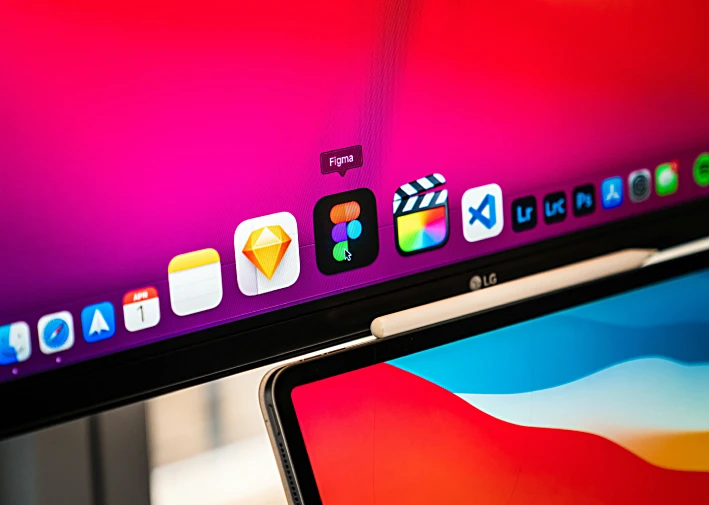
Photo by Zac Wolff on Unsplash
Measuring Success and Iterating
You’ve launched your MVP. Now the real work begins. Good UX isn’t about perfection. It’s about continuously learning and improving.
Establish clear success metrics tied to user outcomes. Track the behaviors that lead to revenue: activation rate, feature adoption, user satisfaction, retention. These indicators help you understand whether you’re actually solving problems.
Slack obsessed over small UX details. They iterated relentlessly based on user feedback, turning delightful interactions into word-of-mouth growth that made paid marketing almost unnecessary.
Create feedback loops with your users. Make it easy for them to share thoughts, report bugs, and suggest improvements. When someone asks for a specific feature, what underlying problem are they trying to solve?
Prioritize improvements based on impact and effort. The best opportunities are high-impact changes that require low effort. Don’t just build what users ask for. Solve the problems they have.
Common UX Pitfalls for Startups
Even with good intentions, startups make predictable mistakes. Here are the traps to avoid.
Designing Without Understanding
Designing for yourself instead of your users happens constantly. You’re intimately familiar with your product, but users aren’t. What feels obvious to you might confuse everyone else. Stay humble and test your assumptions.
Copying competitors without understanding why they made those choices wastes time. Just because a successful company does something doesn’t mean it’s right for your product or your stage. Learn from others, but design for your context.
Over-Complicating the Experience
Adding features without removing complexity makes products harder to understand. Before adding something, ask whether you could remove or simplify something instead. Restraint is a design skill.
Skipping the boring parts like onboarding, error states, and documentation hurts users. These aren’t glamorous, but they’re where people often struggle. A smooth onboarding experience dramatically improves activation rates.
Ignoring Accessibility
Neglecting accessibility from the start limits your market. Accessible design isn’t just ethical. It’s smart business. It expands your addressable market, improves search engine rankings, and often makes your product better for everyone.
Conclusion
Great user experience comes from putting users first, testing your assumptions, and continuously improving.
Start small. Talk to users this week. Sketch your core flows. Test with five people. Measure what matters. Iterate based on evidence.
The startups that win make it easy for users to accomplish their goals. The best time to invest in UX was before you started. The second-best time is right now.