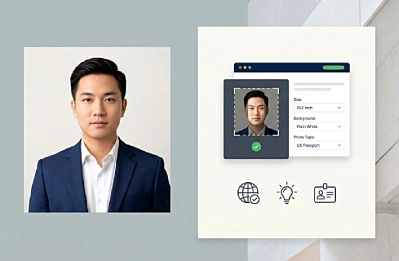
A passport photo tool is a platform or application that assists in converting a normal photograph into one that meets the passport-photo style specifications, such as size, framing, background, and file type. It does help the process if you take the photo at home instead of going to a studio or booth.
But at the same time, it’s not something that every applicant is going to absolutely need, because the acceptance of the photo is still always going to depend on the rules of the country, the type of application, and the manner in which the photo is submitted. Simply put, a passport photo tool is a convenience, consistency, and preparedness play rather than a photo-to-be-approved promise.
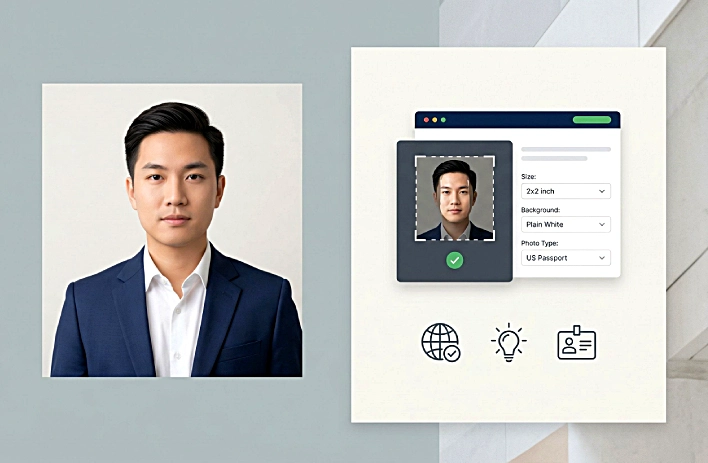
What a Passport Photo Tool Actually Does
A passport photo tool is not a singular product type. It’s a broad term that describes all sorts of digital services that turn an ordinary headshot into one that meets passport specifications. This could be a simple cropper, a background checker, a template-based editor, or a more comprehensive solution that takes the user from uploading to ultimately downloading. The objective is always the same: to bring down the odds of a photo taken at home failing for reasons of size, framing, background, and formatting.
Most of the tools are designed to fix the technical aspects where people tend to go wrong first. They can resize an image to the required dimensions, move the face to a better location, and generate a file that is easier to upload or print. Some are designed primarily for digital submissions, others are more like print-prep services.
It’s a meaningful distinction, because a lot of people seem to think a passport photo app “makes” a valid photo out of thin air. The starting photo still has to be good, though. If the lighting is uneven, the face is out of focus, the expression is wrong, or the background isn’t acceptable, software can do only so much.
The core functions
If someone refers to a passport photo tool, what they usually mean is a service that assists with some or all of these tasks:
- verifying if the photo is properly centered
- changing the crop to the required size
- getting a file ready for a digital submission
- creating a printable photo sheet
- performing basic validation tests and alerting you to obvious problems like shadows, glare, or bad framing
- helping you find a specific country or document format
Tool vs. editor vs. photo booth vs. photographer
An entry-level editor edits the image but doesn’t necessarily comply with passport standards. Because it is focused on document requirements, a passport photo tool is more niche. Photo booths are a physical alternative that run a completed product, most of the time in a standard size. A professional photographer controls lighting, pose, background, sharpness, and quality on a whole other level. In some processes, the extra control is still the safest route. Canada, to name one, asks for a digital photo to be taken in person by a commercial photographer for online passport renewal.
Therefore, at best, a passport photo tool is really a preparation tool. It assists with forming the photo into the right shape and plays a part in reducing error. What it doesn’t do is supersede the official guidelines, supersede human judgment, or magically clean up a bad source image.
What a Passport Photo Tool Cannot Do
A passport photo tool can guide you through the process of preparing your image and formatting it, and help you avoid some common mistakes. It just can’t substitute for the official rules behind the application process, or make a government office accept the end result.
It does not equal government approval
No business service, home editor, or cropping application can validate a passport or visa photo for a government agency. At best, a tool can help you better align with the published requirements. The agency processing your application makes the final decision, and those agencies often have the right to refuse a photograph even if it looks as if it meets the general checklist of requirements.
That’s the right way to think about a passport photo tool: it is a preparation tool, not an approval tool.
It shall not contravene the country-specific regulations
A second limitation is that a tool does not override local regulation. The UK online passport service instructs applicants not to crop a photo taken by themselves, as the system will do that for them. Canada says images must be taken in person by a commercial photographer, digitally saved directly from the original camera file, and should not be digitally manipulated — including edits like cropping around the head and shoulders, brightening, or changing the backdrop.
It could be superfluous in certain workflows
When you have someone taking your picture in a photo booth or at a professional studio, or if you’re using an application system that takes care of the cropping and framing for you, an extra tool might not be necessary. The relevant question is not whether a passport photo tool is “good” or “bad.” The better question is whether it works with the exact application route you are taking.
How are rules for passport photos established?
The passport photo requirements are not decided by apps or editing tools. They originate from the government, and on a global level, from international protocols. A passport photo is not merely a pleasing portrait — it’s a piece of an identity system designed for visual document verification, face matching, and border control. ICAO’s Doc 9303 identifies the facial image as the mandatory biometric for electronic machine-readable travel documents, but the particular submission rules are established by national authorities.
International guidance and national regulations
ICAO is responsible for the solution at the international level. That doesn’t mean ICAO bakes in an exact pixel count for every photo. Those details are determined by the issuing authority.
In the US, the State Department provides comprehensive guidelines on face position, background, recency, and image size. For visa photos, the head size must be between 50% and 69% of the image height. In the UK, GOV.UK has its own rules including minimum pixel size, file size range, and that the photo must not be altered by computer software. In Canada, passport photos should be 50 mm x 70 mm, with the subject’s face measuring a minimum of 31 mm and a maximum of 36 mm from chin to crown.
When people ask, “What are the passport photo rules?”, the best answer is: there is no single universal checklist that trumps national rules.
Why biometric consistency matters
Passport photos are meant to contribute to identity matching in the real world. That’s why official advice tells you not to smile and not to have shadows across your face. These are not aesthetic preferences but real requirements — part of making the image consistent enough that it can be evaluated by humans and compared against another photo.
That’s also why governments are wary of editing. The US advises against altering a photo with software, apps, or filters. The UK states that a digital passport photograph should not be digitally enhanced or manipulated. Canadian passport guidance says photos should not be altered. Even when countries express it in different words, the idea remains the same: the picture must show an applicant as he or she really is.
General Technical Considerations for a Tool Developer
| Area of requisite | Authorities that generally inspect | The importance of it | What can a tool do for you |
|---|---|---|---|
| Image quality | In focus, color, recent | Face must be recognizable and recent | Simple validation prompts and retake tips |
| Background and lighting | Plain, solid-colored background with no shadows or glare | A busy or uneven background may result in rejection | Framing tips and background screening |
| Face position and scale | Head size correct, face centered, eyes open, looking straight at camera | Even a good-quality photo can fail if it is the wrong size or shape | Crop templates and face-positioning directions |
| File format | JPEG or other supported format, required pixels, file size | Some upload systems may deny an invalid file on a technical basis | Resize, export, and prepare functions for files |
| Print readiness | Correct print size and layout on photo paper | Physical accuracy matters for printed entries | Sheet layout and size guidance |
| Prohibited edits | Do not alter appearance, no artificial clean-up, no compressive cropping | Photos that have been processed and edited can fail even if they look clean | Restrict modifications to compliant preparation only |
Digital submission vs. printed submission
The “right” photo is not always the same in digital and printed workflows. In the U.S. visa system, some channels require a digital upload while others require printed photos during the interview. In Canada, digital passport renewals follow a different set of rules from the printed-photo routine. A tool needs to accommodate not just the country, but also the submission type.
How Requirements Vary by Country and Type of Submission
| Country / Authority | Type of submission | Basic rule | How users are affected |
|---|---|---|---|
| USA | Nonimmigrant visa online application form | Send a digital photograph | File-ready digital images are the most important |
| USA | Immigrant Visa Interview / DS-260 | Bring two 2 x 2 inch printed photos | Preparing the print is more important than digital format |
| United Kingdom | Apply online using own device | Upload a digital image; do not crop it yourself | The system expects to handle the crop |
| United Kingdom | Apply online with booth or shop code | Use a linked digital photo from a provider | The value is in the provider workflow, not home editing |
| Canada | Normal passport application | Two printed photos, 50 mm x 70 mm, face 31–36 mm | Photographer and physical format requirements are central |
The real issue is not “Is this photo good?” The real issue is: “Is this the right photo for this country, this type of application, and this method of submission?”
How Users Interact with the Passport Photo Tool
Most users don’t start with the tool. They begin with a modest question: they want a passport-style photo, they’d like to skip a needless trip to a studio, and they’re not quite sure their photo meets the rules.
A typical home workflow
Take a photo in good lighting, with a plain background, with a neutral expression, and with your head facing straight at the camera. Then submit the photo to a site that can check framing, crop the image, and organize it for either digital submission or printing. The official guidance is still what matters more than the tool, but the tool can be a time-saving device that may prevent needless mistakes ahead of time.
When a service can save time
A passport photo tool is best in three cases:
- when you need a digital file and want assistance with sizing, cropping, or background uniformity
- when you want a print-ready template rather than purchasing costly prints from a photography lab
- when the applicant wants a simpler at-home process and knows that the service is there to prepare the image, not to approve it
When to use the other option instead
If the method of submission requires a booth code, a professionally taken picture, or a system that does its own crop at a later stage, a further editing step might be of limited use. In such cases, the best bet is straightforward: follow the official channel rather than trying to tinker with the process using extra software.
Common Errors and Misconceptions
A passport photo can appear to be normal and yet be rejected. People tend to evaluate the picture with their “daily lens,” while passports evaluate it with a “lens of compliance.”
Myth: “If it looks good, you’ll get away with it”
Passport photos are not assessed the way profile pictures or social media headshots are. An image that is visually appealing may still fail if the proportions aren’t right.
Mistake: Forgetting shadows and light
A little bit of shadow at the ears, behind the head, or across the cheeks can seem harmless. The U.S. requirements state that the face should be evenly illuminated. Canada also states that there can be no shadows, glare, or reflections of the flash. People tend to get hung up on background color first, and forget that lighting can be just as much of an issue.
Myth: “Cropping is always innocuous”
In the UK digital passport process, applicants are told not to crop the photo themselves. Canada considers cropping around the head and shoulders an alteration that could render the photo unacceptable. The issue is whether that type of cropping is permitted in the particular process you are using.
Error: Viewing digital alterations as “mere enhancements”
The UK says the photograph must be free from alteration by computer software. Brightening, contrast changes, background changes, glare removal, and improvements in appearance are considered alterations in Canada. The authorities may consider the edit an unacceptable modification, even if it is intended to create a clearer or more professional version of the photo.
Myth: “All countries want the same thing”
The U.S., the UK, and Canada all want a clean, clear facial image, but all three have different rules on size, cropping, submission format, and alterations. A photo that is correct for one country’s system may be invalid for another’s, even if the face itself is fine.
Mistake: Thinking approval is guaranteed by a tool
The U.S. State Department’s own Photo Tool is referred to as a cropping tool rather than a quality-assurance tool — using it does not indicate final approval of the photo in your application. The final decision is still made by the body you apply to.
FAQs
Take your own passport photo at home! You may be able to take your own passport photo at home for some application options; however, acceptance varies by country and method of submission.
Is It Safe to Use a Passport Photo Tool? A passport photo app may help with size, framing, and preparing the file, but not with getting a government authority to approve the image. The agency that receives the application always has the final say.
Is cropping editing? Cropping is image manipulation, but whether it is acceptable or not depends on your workflow. Certain platforms expect cropping to be done later by the platform itself.
Do all countries have the same passport photo requirements? Countries implement similar biometric principles, but there is still variation by authority, document type, and channel of submission.
What file format is accepted for a digital passport photograph? Passport photos are often taken in JPEG format, but your system may use different file requirements. A few official systems also accept PNG, HEIC, or HEIF files.
Can I adjust the lighting or background in my picture after I have taken it? Official guidance is generally wary of post-processing. Some authorities reject digitally altered photographs, even for small modifications.
Is a studio picture safer than using a tool? A studio or booth photo may be safer in workflows that depend on professional capture. Official UK guidance says booth or shop photos are more likely to be approved.
Conclusion
A passport photo tool is more like a practical assistant, and less like a replacement for the official rules. It can simplify things by guiding you on framing, sizing, file preparation, and printing layout.
At the same time, the tool is only as good as its relevance to the actual application process. Some systems want a digital upload. Others want printed photos. Some want an uncropped image. So, do you really need one? Sometimes yes, if only to have an easier way to make a compliant photo for a workflow that permits it. But not always. In many instances, the best path is just to do exactly what the issuing authority tells you to do. A passport photo generator can help you along, but the official instructions are what define the standard.
words Al Woods